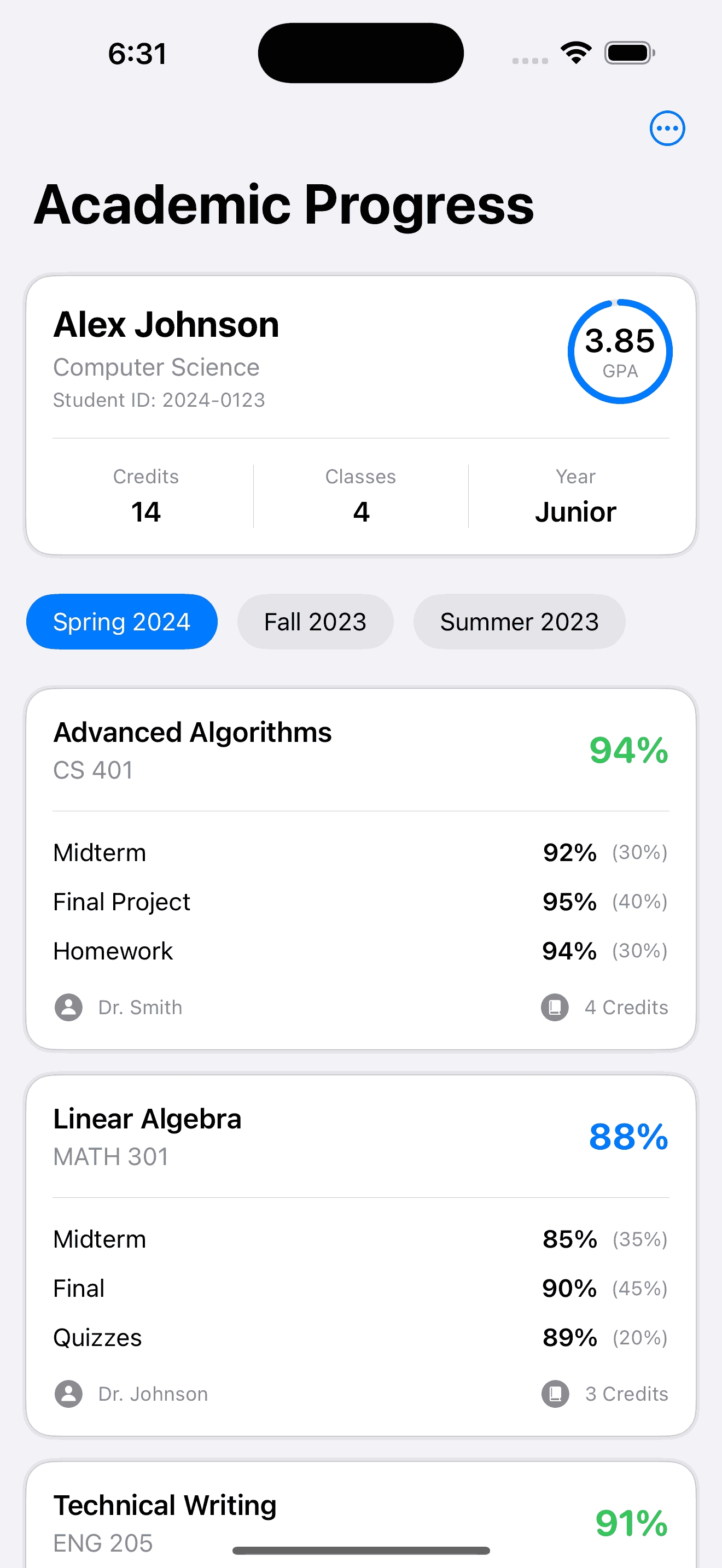
Student Grades View
by dockui
A modern SwiftUI template for displaying academic progress with detailed course and assignment breakdowns, ideal for student portals.
- Platform
- SwiftUI
- Code
- Native Swift
- Format
- Screen
- Access
- Free
Code Snippet
import SwiftUI

struct StudentGradesView: View {
    @State private var selectedPeriod = "Spring 2024"
    @State private var selectedTab = "Grades"

    // Dummy student data
    let student = Student(
        name: "Alex Johnson",
        id: "2024-0123",
        major: "Computer Science",
        gpa: 3.85,
        year: "Junior"
    )

    // Dummy courses data
    let courses = [
        Course(
            name: "Advanced Algorithms",
            code: "CS 401",
            grade: 94,
            credits: 4,
            professor: "Dr. Smith",
            category: .computerScience,
            assignments: [
                Assignment(name: "Midterm", score: 92, weight: 30),
                Assignment(name: "Final Project", score: 95, weight: 40),
                Assignment(name: "Homework", score: 94, weight: 30)
            ]
        ),
        Course(
            name: "Linear Algebra",
            code: "MATH 301",
            grade: 88,
            credits: 3,
            professor: "Dr. Johnson",
            category: .mathematics,
            assignments: [
                Assignment(name: "Midterm", score: 85, weight: 35),
                Assignment(name: "Final", score: 90, weight: 45),
                Assignment(name: "Quizzes", score: 89, weight: 20)
            ]
        ),
        Course(
            name: "Technical Writing",
            code: "ENG 205",
            grade: 91,
            credits: 3,
            professor: "Prof. Williams",
            category: .english,
            assignments: [
                Assignment(name: "Essay 1", score: 89, weight: 25),
                Assignment(name: "Research Paper", score: 93, weight: 35),
                Assignment(name: "Presentation", score: 90, weight: 40)
            ]
        ),
        Course(
            name: "Physics II",
            code: "PHYS 202",
            grade: 87,
            credits: 4,
            professor: "Dr. Brown",
            category: .science,
            assignments: [
                Assignment(name: "Lab Reports", score: 88, weight: 30),
                Assignment(name: "Midterm", score: 85, weight: 35),
                Assignment(name: "Final", score: 89, weight: 35)
            ]
        )
    ]

    var body: some View {
        NavigationStack {
            ScrollView {
                VStack(spacing: 24) {
                    // Student Summary Card
                    StudentSummaryCard(student: student)
                        .padding(.horizontal)

                    // Period Selector
                    ScrollView(.horizontal, showsIndicators: false) {
                        HStack(spacing: 12) {
                            ForEach(["Spring 2024", "Fall 2023", "Summer 2023"], id: \.self) { period in
                                PeriodButton(
                                    period: period,
                                    isSelected: period == selectedPeriod,
                                    action: { selectedPeriod = period }
                                )
                            }
                        }
                        .padding(.horizontal)
                    }

                    // Courses List
                    VStack(spacing: 16) {
                        ForEach(courses) { course in
                            CourseCard(course: course)
                        }
                    }
                    .padding(.horizontal)
                }
                .padding(.vertical)
            }
            .background(Color(uiColor: .systemGroupedBackground))
            .navigationTitle("Academic Progress")
            .toolbar {
                ToolbarItem(placement: .primaryAction) {
                    Menu {
                        Button(action: {}) {
                            Label("Share Progress", systemImage: "square.and.arrow.up")
                        }
                        Button(action: {}) {
                            Label("Print Report", systemImage: "printer")
                        }
                    } label: {
                        Image(systemName: "ellipsis.circle")
                    }
                }
            }
        }
    }
}

struct StudentSummaryCard: View {
    let student: Student

    var body: some View {
        VStack(spacing: 16) {
            HStack(alignment: .top) {
                VStack(alignment: .leading, spacing: 4) {
                    Text(student.name)
                        .font(.title2)
                        .bold()
                    Text(student.major)
                        .font(.subheadline)
                        .foregroundColor(.secondary)
                    Text("Student ID: \(student.id)")
                        .font(.caption)
                        .foregroundColor(.secondary)
                }

                Spacer()

                ZStack {
                    Circle()
                        .stroke(Color.blue.opacity(0.2), lineWidth: 4)
                        .frame(width: 60, height: 60)

                    Circle()
                        .trim(from: 0, to: CGFloat(student.gpa / 4.0))
                        .stroke(Color.blue, style: StrokeStyle(
                            lineWidth: 4,
                            lineCap: .round
                        ))
                        .frame(width: 60, height: 60)
                        .rotationEffect(.degrees(-90))

                    VStack {
                        Text("\(student.gpa, specifier: "%.2f")")
                            .font(.system(.title3, design: .rounded))
                            .bold()
                        Text("GPA")
                            .font(.caption2)
                            .foregroundColor(.secondary)
                    }
                }
            }

            Divider()

            HStack {
                StatisticView(title: "Credits", value: "14")
                Divider()
                StatisticView(title: "Classes", value: "4")
                Divider()
                StatisticView(title: "Year", value: student.year)
            }
        }
        .padding()
        .background(Color(uiColor: .systemBackground))
        .cornerRadius(16)
        .shadow(radius: 2)
    }
}

struct CourseCard: View {
    let course: Course

    var gradeColor: Color {
        switch course.grade {
        case 90...100: return .green
        case 80..<90: return .blue
        case 70..<80: return .yellow
        default: return .red
        }
    }

    var body: some View {
        VStack(spacing: 16) {
            HStack {
                VStack(alignment: .leading, spacing: 4) {
                    Text(course.name)
                        .font(.headline)
                    Text(course.code)
                        .font(.subheadline)
                        .foregroundColor(.secondary)
                }

                Spacer()

                Text("\(course.grade, specifier: "%.0f")%")
                    .font(.system(.title2, design: .rounded))
                    .bold()
                    .foregroundColor(gradeColor)
            }

            Divider()

            // Assignments
            VStack(spacing: 12) {
                ForEach(course.assignments) { assignment in
                    AssignmentRow(assignment: assignment)
                }
            }

            // Professor info
            HStack {
                Image(systemName: "person.circle.fill")
                    .foregroundColor(.secondary)
                Text(course.professor)
                    .font(.caption)
                    .foregroundColor(.secondary)

                Spacer()

                Image(systemName: "book.closed.circle.fill")
                    .foregroundColor(.secondary)
                Text("\(course.credits) Credits")
                    .font(.caption)
                    .foregroundColor(.secondary)
            }
        }
        .padding()
        .background(Color(uiColor: .systemBackground))
        .cornerRadius(16)
        .shadow(radius: 2)
    }
}

struct AssignmentRow: View {
    let assignment: Assignment

    var body: some View {
        HStack {
            Text(assignment.name)
                .font(.subheadline)

            Spacer()

            Text("\(assignment.score, specifier: "%.0f")%")
                .font(.subheadline)
                .bold()

            Text("(\(assignment.weight)%)")
                .font(.caption)
                .foregroundColor(.secondary)
        }
    }
}

struct PeriodButton: View {
    let period: String
    let isSelected: Bool
    let action: () -> Void

    var body: some View {
        Button(action: action) {
            Text(period)
                .font(.subheadline)
                .padding(.horizontal, 16)
                .padding(.vertical, 8)
                .background(isSelected ? Color.blue : Color(uiColor: .systemGray5))
                .foregroundColor(isSelected ? .white : .primary)
                .cornerRadius(20)
        }
    }
}

struct StatisticView: View {
    let title: String
    let value: String

    var body: some View {
        VStack(spacing: 4) {
            Text(title)
                .font(.caption)
                .foregroundColor(.secondary)
            Text(value)
                .font(.headline)
        }
        .frame(maxWidth: .infinity)
    }
}

// Models
struct Student {
    let name: String
    let id: String
    let major: String
    let gpa: Double
    let year: String
}

struct Course: Identifiable {
    let id = UUID()
    let name: String
    let code: String
    let grade: Double
    let credits: Int
    let professor: String
    let category: CourseCategory
    let assignments: [Assignment]
}

struct Assignment: Identifiable {
    let id = UUID()
    let name: String
    let score: Double
    let weight: Int
}

enum CourseCategory {
    case computerScience
    case mathematics
    case english
    case science
}
More Templates
View All TemplatesSimilar Blogs
View All Articles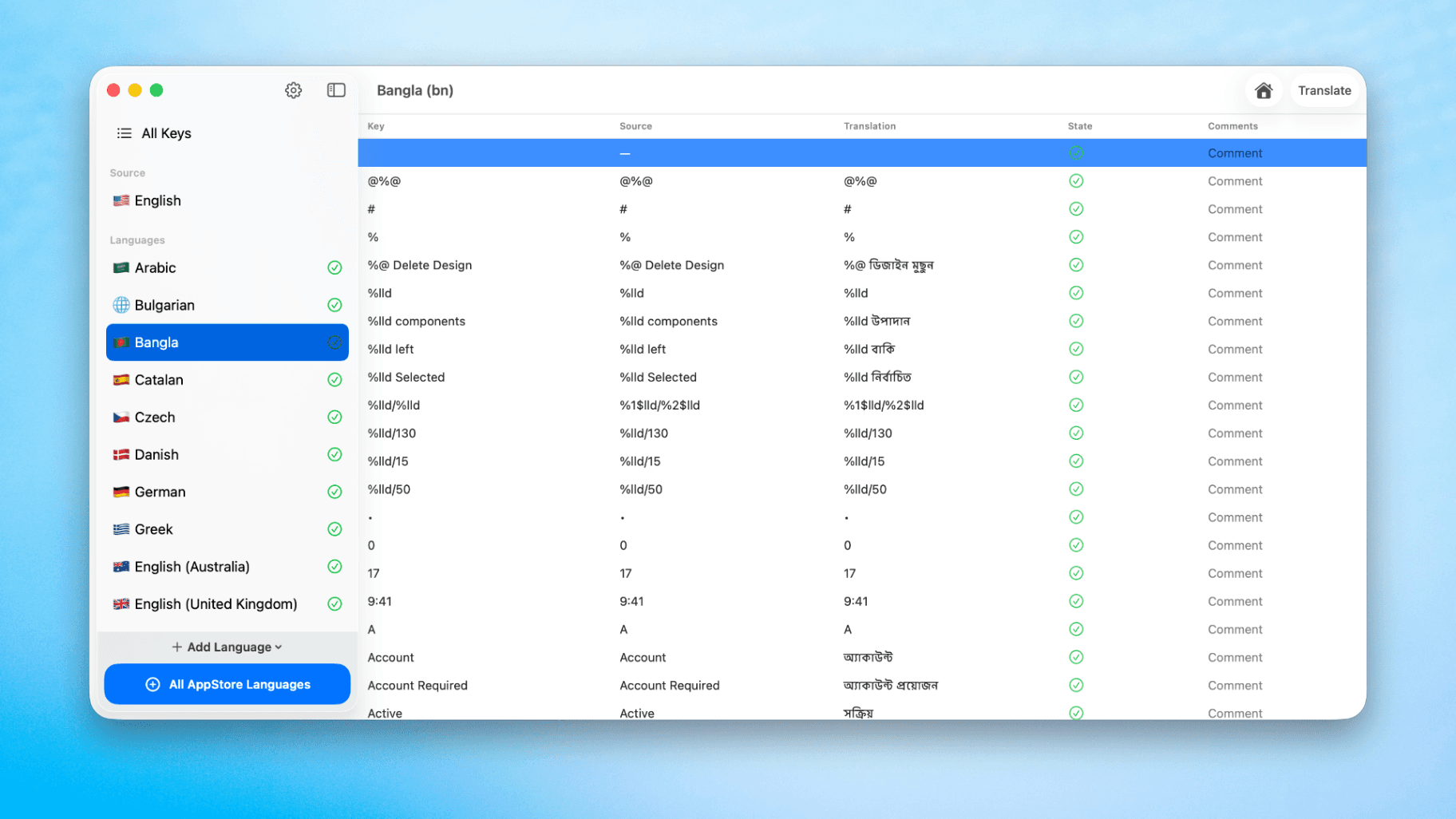
How to Translate Xcode String Catalogs with AI
Learn how to efficiently translate Xcode string catalogs using AI fast, streamlining localization for your iOS and SwiftUI applications.
by dockui
May 4
How to optimize your SwiftUI app in 2026
Discover top strategies to optimize your SwiftUI app in 2026, enhancing performance, responsiveness, and maintainability with modern concurrency.
by dockui
Apr 29
SwiftUI: iOS Confirmation Alert (Confirm + Cancel)
SwiftUI iOS confirmation alert with Confirm and Cancel buttons. Beginners guide to building safe actions, destructive deletes, and commit dialogs.
by dockui
Nov 11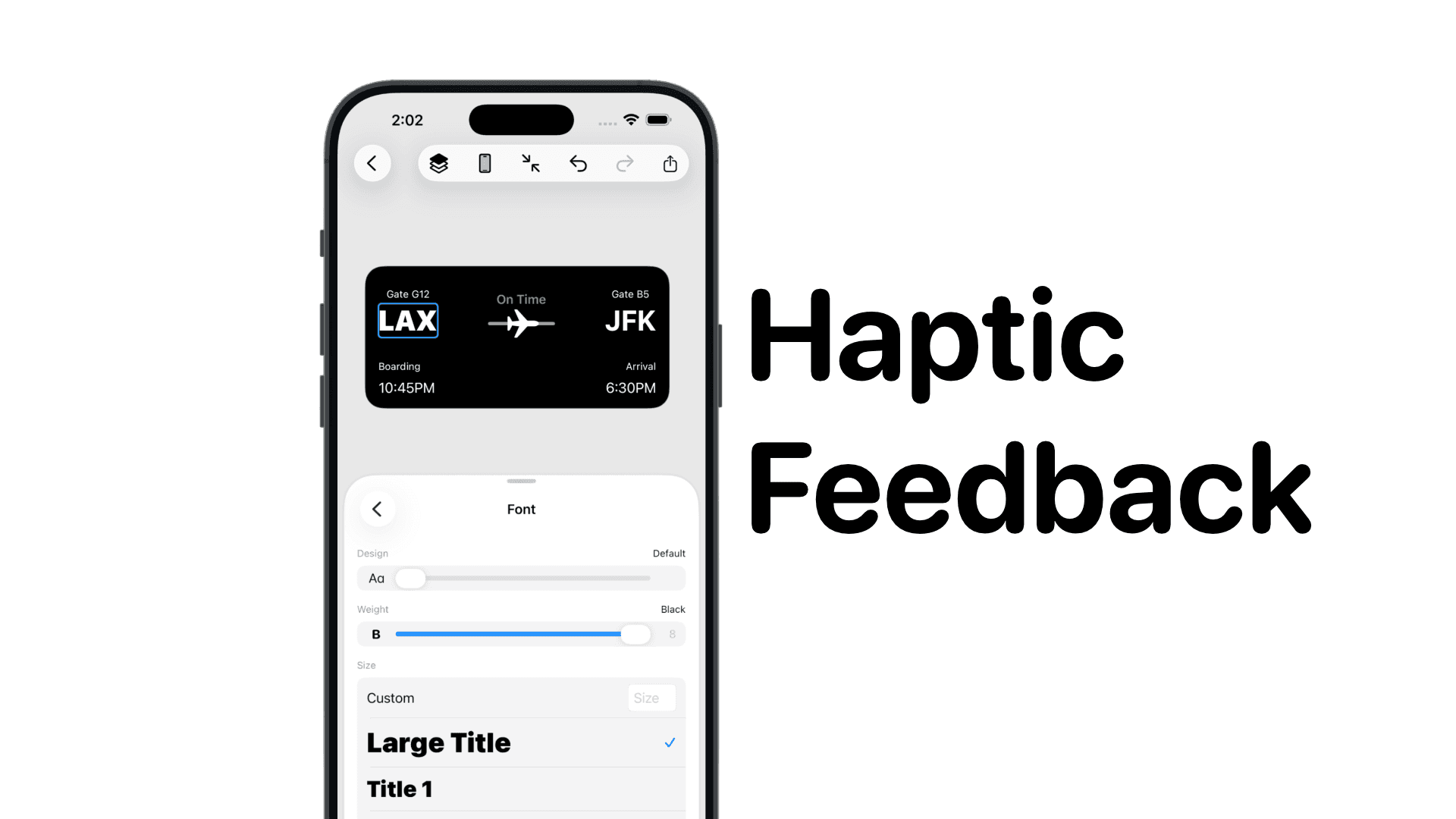
SwiftUI: IOS Haptic Feedback Guide 2026
Add click to vibrate haptic feedback in SwiftUI. Full guide to UIImpactFeedbackgenerator, success, error, selection, and tap vibration patterns with code.
by dockui
Nov 11Code copied to clipboard!