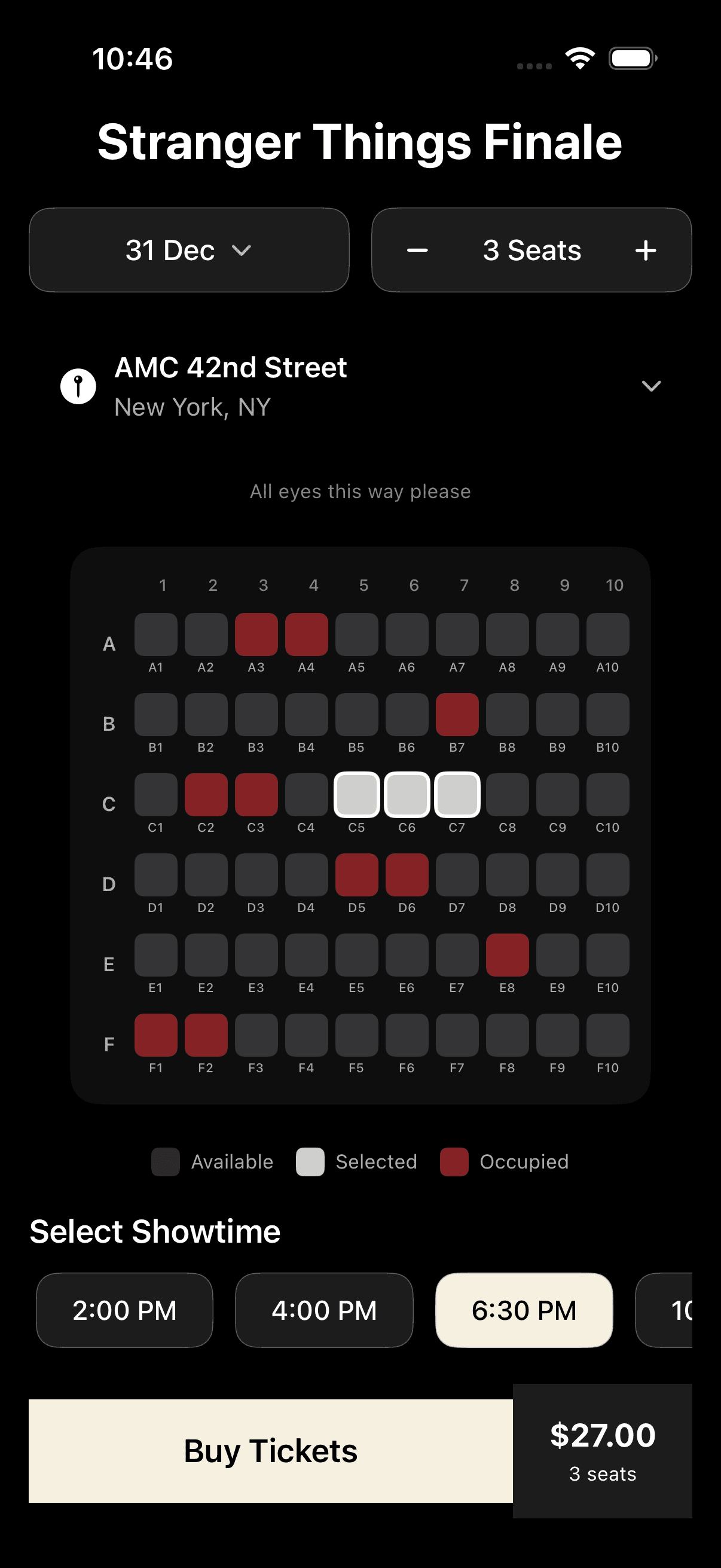
Movie Theater Seat View
by dockui
SwiftUI iOS movie ticket booking UI with seat selection grid, showtimes, date picker, pricing calculator, and modern dark cinema design
- Platform
- SwiftUI
- Code
- Native Swift
- Format
- Screen
- Access
- Free
Code Snippet
import SwiftUI

struct MovieTheaterSeatView: View {
    @State private var selectedDate = Date()
    @State private var seatCount = 2
    @State private var selectedShowtime: Showtime?
    @State private var selectedSeats: Set<String> = []
    @State private var showingDatePicker = false

    let movieTitle = "Stranger Things Finale"
    let theaterName = "AMC 42nd Street"
    let theaterLocation = "New York, NY"

    let showtimes = [
        Showtime(id: 1, time: "2:00 PM", available: true),
        Showtime(id: 2, time: "4:00 PM", available: true),
        Showtime(id: 3, time: "6:30 PM", available: true),
        Showtime(id: 4, time: "10:00 PM", available: true)
    ]

    // Seat map: rows A-F, columns 1-10
    let seatRows = ["A", "B", "C", "D", "E", "F"]
    let seatColumns = Array(1...10)

    // Pre-occupied seats
    let occupiedSeats: Set<String> = ["A3", "A4", "B7", "C2", "C3", "D5", "D6", "E8", "F1", "F2"]

    var totalPrice: Double {
        Double(selectedSeats.count) * 9.00
    }

    var body: some View {
        ZStack {
            // Dark background
            Color.black.ignoresSafeArea()

            ScrollView {
                VStack(spacing: 20) {
                    // Header Section
                    headerSection

                    // Date and Seat Selection
                    controlsSection

                    // Theater Location
                    locationSection

                    // Screen and Seat Map
                    seatMapSection

                    // Showtime Selection
                    showtimeSection

                    // Buy Tickets Button
                    buyTicketsButton
                }
                .padding(.horizontal, 16)
                .padding(.bottom, 40)
                .frame(maxWidth: .infinity)
            }
        }
        .sheet(isPresented: $showingDatePicker) {
            DatePickerSheet(selectedDate: $selectedDate)
        }
    }

    private var headerSection: some View {
        VStack(spacing: 8) {
            Text(movieTitle)
                .font(.system(size: 28, weight: .bold))
                .foregroundColor(.white)
                .multilineTextAlignment(.center)
                .lineLimit(2)
                .minimumScaleFactor(0.8)
        }
    }

    private var controlsSection: some View {
        HStack(spacing: 12) {
            // Date Picker Button
            Button(action: { showingDatePicker = true }) {
                HStack(spacing: 8) {
                    Text(dateFormatter.string(from: selectedDate))
                        .font(.system(size: 16, weight: .medium))
                        .foregroundColor(.white)
                    Image(systemName: "chevron.down")
                        .font(.system(size: 12, weight: .semibold))
                        .foregroundColor(.white.opacity(0.7))
                }
                .frame(maxWidth: .infinity)
                .padding(.vertical, 14)
                .background(Color.gray.opacity(0.2))
                .overlay(
                    RoundedRectangle(cornerRadius: 12)
                        .stroke(Color.white.opacity(0.3), lineWidth: 1)
                )
                .clipShape(RoundedRectangle(cornerRadius: 12))
            }

            // Seat Count Selector
            HStack(spacing: 16) {
                Button(action: { if seatCount > 1 { seatCount -= 1 } }) {
                    Image(systemName: "minus")
                        .font(.system(size: 14, weight: .semibold))
                        .foregroundColor(seatCount > 1 ? .white : .white.opacity(0.4))
                }

                Text("\(seatCount) Seats")
                    .font(.system(size: 16, weight: .medium))
                    .foregroundColor(.white)
                    .frame(minWidth: 80)

                Button(action: { if seatCount < 8 { seatCount += 1 } }) {
                    Image(systemName: "plus")
                        .font(.system(size: 14, weight: .semibold))
                        .foregroundColor(seatCount < 8 ? .white : .white.opacity(0.4))
                }
            }
            .frame(maxWidth: .infinity)
            .padding(.vertical, 14)
            .background(Color.gray.opacity(0.2))
            .overlay(
                RoundedRectangle(cornerRadius: 12)
                    .stroke(Color.white.opacity(0.3), lineWidth: 1)
            )
            .clipShape(RoundedRectangle(cornerRadius: 12))
        }
    }

    private var locationSection: some View {
        Button(action: {}) {
            HStack {
                Image(systemName: "mappin.circle.fill")
                    .font(.system(size: 20))
                    .foregroundColor(.white)

                VStack(alignment: .leading, spacing: 4) {
                    Text(theaterName)
                        .font(.system(size: 16, weight: .semibold))
                        .foregroundColor(.white)

                    Text(theaterLocation)
                        .font(.system(size: 14))
                        .foregroundColor(.white.opacity(0.7))
                }

                Spacer()

                Image(systemName: "chevron.down")
                    .font(.system(size: 12, weight: .semibold))
                    .foregroundColor(.white.opacity(0.7))
            }
            .padding(.horizontal, 16)
            .padding(.vertical, 12)
        }
    }

    private var seatMapSection: some View {
        VStack(spacing: 16) {
            // Screen Representation
            VStack(spacing: 8) {

                Text("All eyes this way please")
                    .font(.system(size: 11))
                    .foregroundColor(.white.opacity(0.5))
            }
            .padding(.bottom, 8)

            // Seat Map
            VStack(spacing: 10) {
                // Column numbers header
                HStack(spacing: 4) {
                    Spacer()
                        .frame(width: 24)
                    ForEach(seatColumns, id: \.self) { col in
                        Text("\(col)")
                            .font(.system(size: 9, weight: .medium))
                            .foregroundColor(.white.opacity(0.5))
                            .frame(width: 24)
                    }
                }
                .padding(.leading, 4)

                // Seat rows
                ForEach(seatRows, id: \.self) { row in
                    HStack(spacing: 4) {
                        // Row label
                        Text(row)
                            .font(.system(size: 11, weight: .semibold))
                            .foregroundColor(.white.opacity(0.7))
                            .frame(width: 20)

                        // Seats in row
                        ForEach(seatColumns, id: \.self) { col in
                            SeatView(
                                seatId: "\(row)\(col)",
                                isOccupied: occupiedSeats.contains("\(row)\(col)"),
                                isSelected: selectedSeats.contains("\(row)\(col)")
                            ) {
                                toggleSeat("\(row)\(col)")
                            }
                        }
                    }
                }
            }
            .padding(.vertical, 16)
            .padding(.horizontal, 8)
            .background(Color.gray.opacity(0.1))
            .clipShape(RoundedRectangle(cornerRadius: 16))

            // Legend
            HStack(spacing: 12) {
                LegendItem(color: Color.gray.opacity(0.3), label: "Available")
                LegendItem(color: Color.white.opacity(0.8), label: "Selected")
                LegendItem(color: Color.red.opacity(0.5), label: "Occupied")
            }
            .padding(.top, 8)
        }
    }

    private var showtimeSection: some View {
        VStack(alignment: .leading, spacing: 12) {
            Text("Select Showtime")
                .font(.system(size: 18, weight: .semibold))
                .foregroundColor(.white)

            ScrollView(.horizontal, showsIndicators: false) {
                HStack(spacing: 12) {
                    ForEach(showtimes) { showtime in
                        ShowtimeButton(
                            showtime: showtime,
                            isSelected: selectedShowtime?.id == showtime.id
                        ) {
                            selectedShowtime = showtime
                        }
                    }
                }
                .padding(.horizontal, 4)
            }
        }
    }

    private var buyTicketsButton: some View {
        Button(action: {
            // Handle purchase
        }) {
            HStack(spacing: 0) {
                Text("Buy Tickets")
                    .font(.system(size: 18, weight: .semibold))
                    .foregroundColor(.black)
                    .frame(maxWidth: .infinity)
                    .padding(.vertical, 18)
                    .background(Color(red: 0.96, green: 0.94, blue: 0.88))

                VStack(spacing: 4) {
                    Text("$\(String(format: "%.2f", totalPrice))")
                        .font(.system(size: 18, weight: .bold))
                        .foregroundColor(.white)

                    Text("\(selectedSeats.count) seat\(selectedSeats.count == 1 ? "" : "s")")
                        .font(.system(size: 11))
                        .foregroundColor(.white)
                }
                .frame(width: 100)
                .padding(.vertical, 18)
                .background(Color.gray.opacity(0.2))
            }
        }
        .disabled(selectedSeats.isEmpty || selectedShowtime == nil)
        .opacity((selectedSeats.isEmpty || selectedShowtime == nil) ? 0.5 : 1.0)
    }

    private func toggleSeat(_ seatId: String) {
        if occupiedSeats.contains(seatId) {
            return // Can't select occupied seats
        }

        if selectedSeats.contains(seatId) {
            selectedSeats.remove(seatId)
        } else {
            if selectedSeats.count < seatCount {
                selectedSeats.insert(seatId)
            }
        }
    }

    private var dateFormatter: DateFormatter {
        let formatter = DateFormatter()
        formatter.dateFormat = "d MMM"
        return formatter
    }
}

// MARK: - Supporting Views

struct SeatView: View {
    let seatId: String
    let isOccupied: Bool
    let isSelected: Bool
    let action: () -> Void

    var body: some View {
        Button(action: action) {
            VStack(spacing: 2) {
                RoundedRectangle(cornerRadius: 5)
                    .fill(seatColor)
                    .frame(width: 24, height: 24)
                    .overlay(
                        RoundedRectangle(cornerRadius: 5)
                            .stroke(strokeColor, lineWidth: isSelected ? 2 : 0)
                    )

                Text(seatId)
                    .font(.system(size: 7, weight: .medium))
                    .foregroundColor(.white.opacity(0.6))
            }
        }
        .disabled(isOccupied)
    }

    private var seatColor: Color {
        if isOccupied {
            return Color.red.opacity(0.5)
        } else if isSelected {
            return Color.white.opacity(0.8)
        } else {
            return Color.gray.opacity(0.3)
        }
    }

    private var strokeColor: Color {
        if isSelected {
            return Color.white
        }
        return Color.clear
    }
}

struct ShowtimeButton: View {
    let showtime: Showtime
    let isSelected: Bool
    let action: () -> Void

    var body: some View {
        Button(action: action) {
            Text(showtime.time)
                .font(.system(size: 15, weight: .medium))
                .foregroundColor(isSelected ? .black : .white)
                .padding(.horizontal, 20)
                .padding(.vertical, 12)
                .background(isSelected ? Color(red: 0.96, green: 0.94, blue: 0.88) : Color.gray.opacity(0.2))
                .overlay(
                    RoundedRectangle(cornerRadius: 12)
                        .stroke(isSelected ? Color.black.opacity(0.2) : Color.white.opacity(0.3), lineWidth: 1)
                )
                .clipShape(RoundedRectangle(cornerRadius: 12))
        }
    }
}

struct LegendItem: View {
    let color: Color
    let label: String

    var body: some View {
        HStack(spacing: 6) {
            RoundedRectangle(cornerRadius: 4)
                .fill(color)
                .frame(width: 16, height: 16)

            Text(label)
                .font(.system(size: 11))
                .foregroundColor(.white.opacity(0.7))
        }
    }
}

struct DatePickerSheet: View {
    @Binding var selectedDate: Date
    @Environment(\.dismiss) private var dismiss
    @Environment(\.colorScheme) var colorScheme

    var body: some View {
        NavigationStack {
            ZStack {
                // Light background for date picker visibility
                Color(.systemBackground)
                    .ignoresSafeArea()

                VStack {
                    DatePicker("Select Date", selection: $selectedDate, displayedComponents: .date)
                        .datePickerStyle(.graphical)
                        .colorScheme(.light)
                        .padding()
                }
            }
            .navigationTitle("Select Date")
            .navigationBarTitleDisplayMode(.inline)
            .toolbar {
                ToolbarItem(placement: .topBarTrailing) {
                    Button("Done") {
                        dismiss()
                    }
                    .foregroundColor(.blue)
                }
            }
        }
        .presentationDetents([.medium, .large])
        .presentationDragIndicator(.visible)
    }
}

// MARK: - Models

struct Showtime: Identifiable {
    let id: Int
    let time: String
    let available: Bool
}
More Templates
More Templates
View All TemplatesSimilar Blogs
View All Articles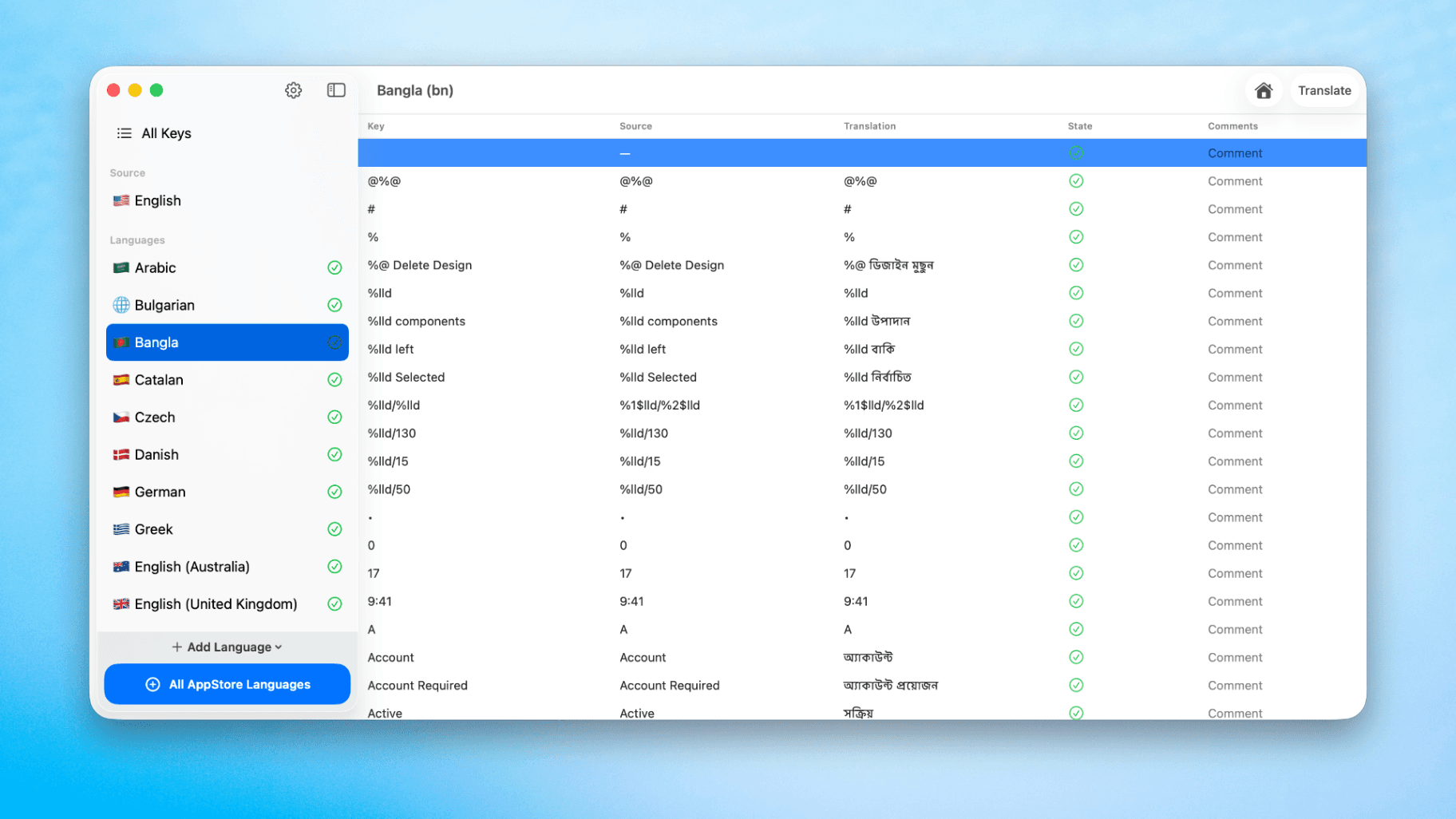
How to Translate Xcode String Catalogs with AI
Learn how to efficiently translate Xcode string catalogs using AI fast, streamlining localization for your iOS and SwiftUI applications.
How to optimize your SwiftUI app in 2026
Discover top strategies to optimize your SwiftUI app in 2026, enhancing performance, responsiveness, and maintainability with modern concurrency.

SwiftUI: iOS Confirmation Alert (Confirm + Cancel)
SwiftUI iOS confirmation alert with Confirm and Cancel buttons. Beginners guide to building safe actions, destructive deletes, and commit dialogs.
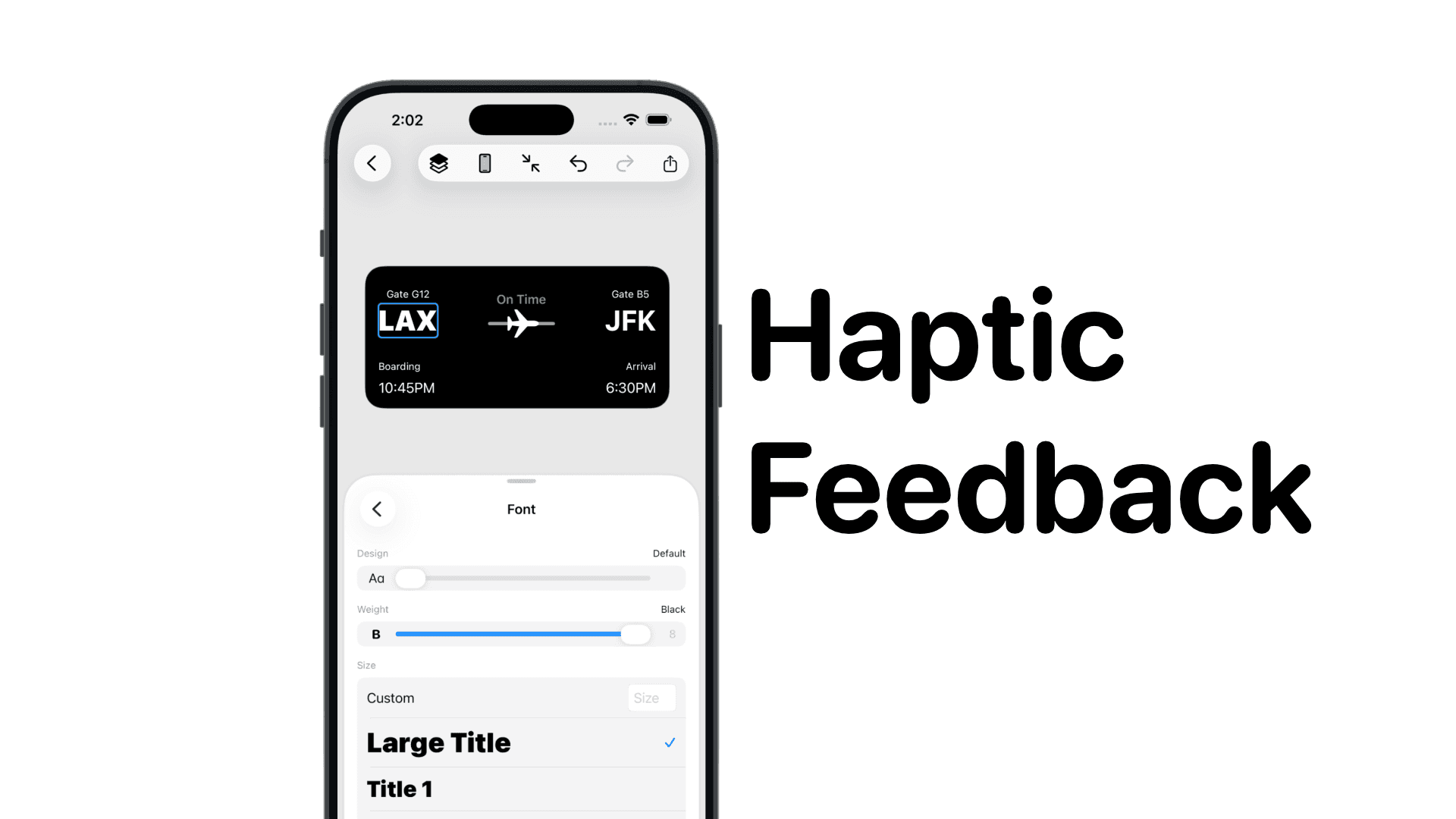
SwiftUI: IOS Haptic Feedback Guide 2026
Add click to vibrate haptic feedback in SwiftUI. Full guide to UIImpactFeedbackgenerator, success, error, selection, and tap vibration patterns with code.
Code copied to clipboard!